 Hira Pharmacy
Billing that keeps up with the counter
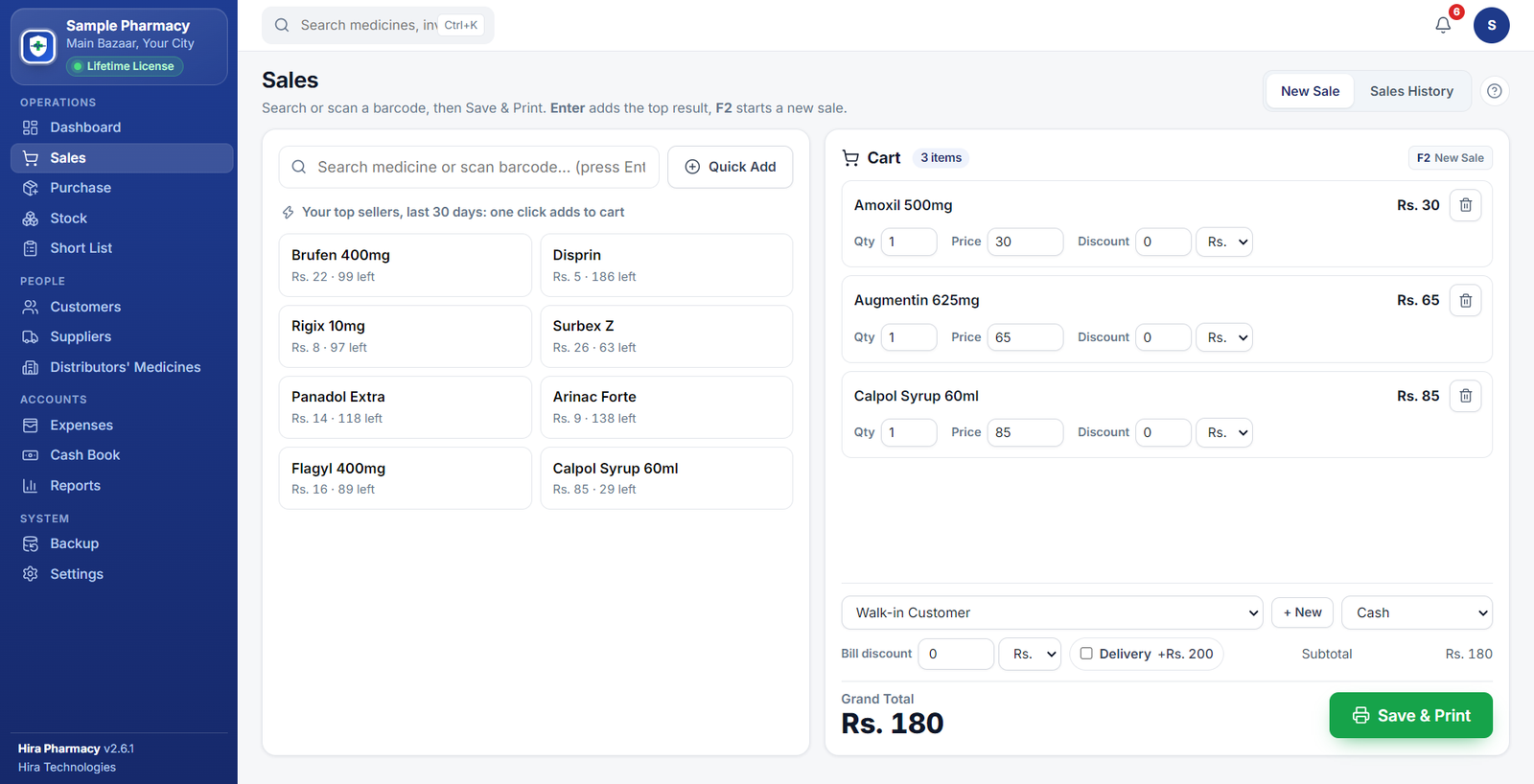
Search or scan a barcode, press Enter, and the medicine is in the cart. Change a price, add a discount or delivery, then Save & Print. The total and the button are always in view.
Billing, stock, expiry alerts, suppliers and reports, all on your own Windows PC. No internet needed, and your data stays in your shop.
Hira Pharmacy installs on a Windows PC. Tap the button to send yourself the download link.
Heads up: Hira Pharmacy is a Windows application and won't run on this device.

Built around the daily routine of a pharmacy, from the first sale of the morning to the last backup of the night.
Search or scan a barcode, press Enter, and the medicine is in the cart. Change a price, add a discount or delivery, then Save & Print. The total and the button are always in view.
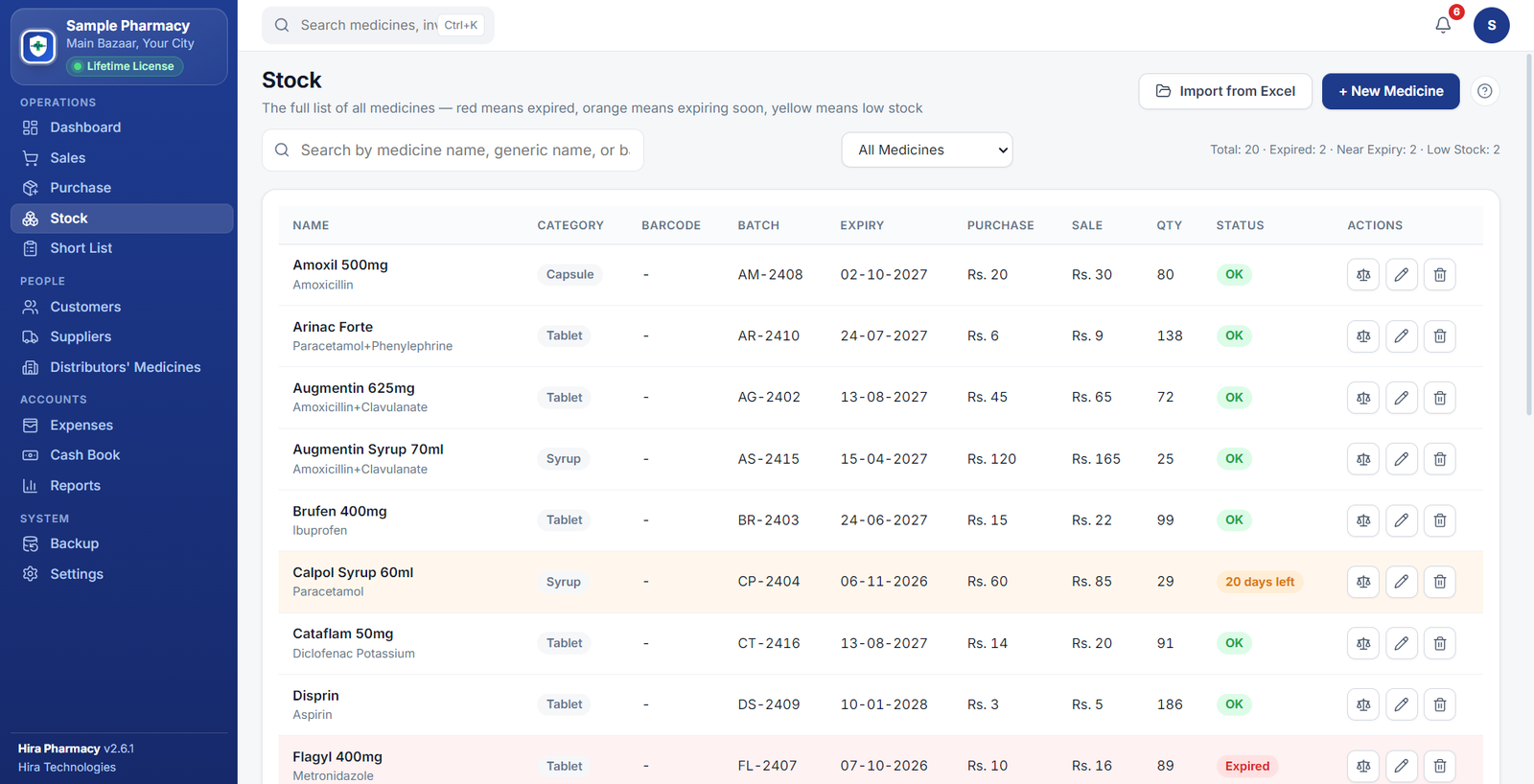
Expired, near-expiry and low-stock medicines are flagged on your dashboard every day.
Set tablets per pack once. The cart sells a pack, a strip or single tablets, and stock counts it right.
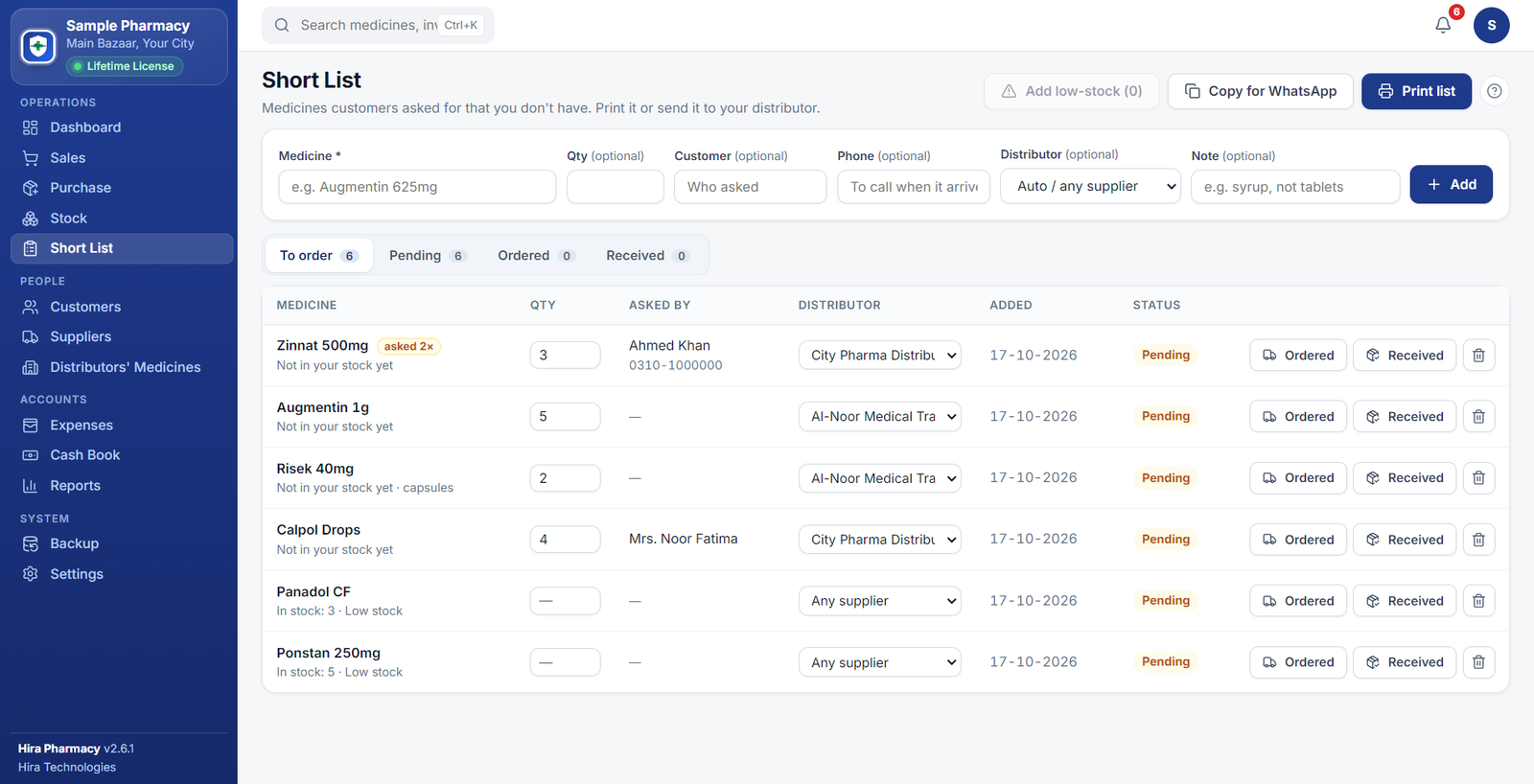
Note what customers asked for that you don't have. Print it for your distributor or copy it to WhatsApp.
Match your columns, preview every row, fix or skip the problem ones, and import the rest. No retyping.
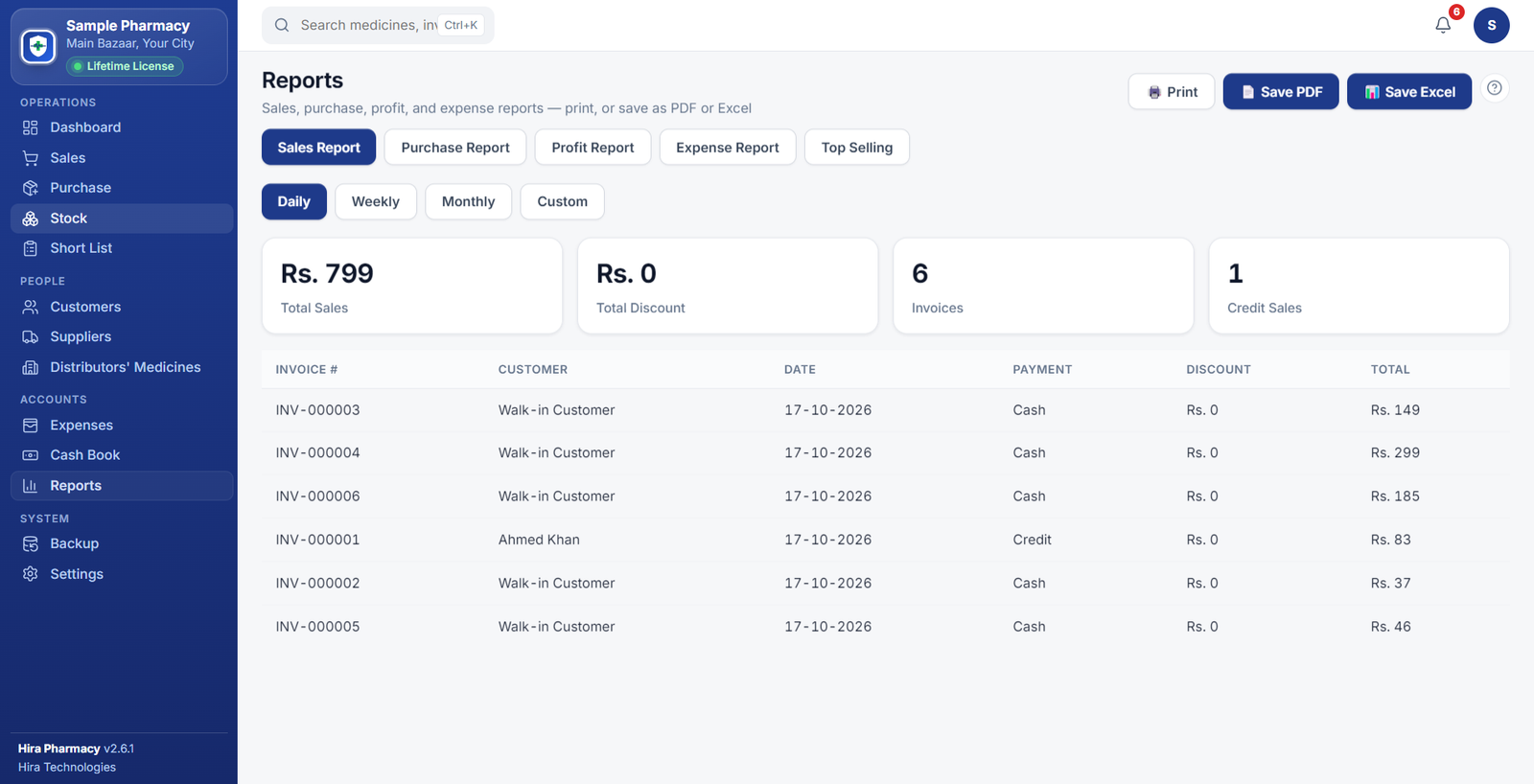
Item Name→MedicineCost→Purchase priceQuantity→QtySales, purchase, profit, expense and top-selling reports. Print them, save a PDF, or open them in Excel with real numbers and dates. Optional GST shows how much you collected.
Your pharmacy's data lives on your own PC, not on a server you don't control.
Faint, grey, half-cut receipts make a shop look careless. Hira Pharmacy prints bold and black, and wastes no paper.

These are real screens from Hira Pharmacy, running on sample data.
A lot of pharmacy software sold in Pakistan was designed for a server room, not a shop counter. Hira Pharmacy was built the other way round, for the counter first.
| Typical pharmacy software | Hira PharmacyYours | |
|---|---|---|
| Internet | Needed just to open the software, every day | Works 100% offline, with or without internet |
| Pricing | Monthly subscription that keeps charging forever | One payment of Rs. 5,000 for a lifetime license |
| Your data | Stored on someone else's server, out of your hands | Stays on your own PC, backed up automatically every day |
| Getting started | Needs an IT person and takes days to set up | Import your Excel stock list and start selling the same day |
| Support | Call centres, tickets, and waiting on hold | Direct WhatsApp with the people who built it |
| Updates | New features often mean a paid upgrade | Free updates for the life of your license |
| Receipts | Generic templates, faint on thermal paper | Bold 80mm thermal & A4, printed with your own shop details |
"Typical pharmacy software" describes common patterns we hear about from pharmacies switching to Hira Pharmacy, not any specific product.
Run the installer. If Windows shows "Windows protected your PC", click More info, then Run anyway.
Open Hira Pharmacy and send us the Machine ID it shows, on WhatsApp. We reply with your license key. No internet needed on the PC.
Enter your shop name, address and logo, import your stock from Excel (or add medicines by hand), and make your first sale.
No subscriptions and no hidden charges. Every feature is included.
Rs. 5,000one-time
Pay once. No monthly fees, no renewal, ever.
Pay once on WhatsApp and receive your license key. Existing customers keep their current license.
No. Hira Pharmacy runs entirely on your PC and keeps your data there. Even activation works offline: you send us a Machine ID, and we send back a license key.
Downloading and installing is free. A license key activates the software for your shop. Message us on WhatsApp at 0310-9888092 for pricing and to get your key.
No. Hira Pharmacy needs a 64-bit Windows 10 or Windows 11 PC. If your PC is older, a Windows 10 (64-bit) install is usually possible on the same hardware. Ask us on WhatsApp and we'll help you check.
New software from a small publisher can be flagged until it builds a reputation, and the installer is not yet signed with a paid publisher certificate. For "Windows protected your PC", click More info, then Run anyway. If your antivirus quarantines it, restore the file and allow it, then run it again. If you'd like reassurance first, call or message us and we'll walk you through it.
Yes. Import from Excel lets you match your columns, preview each row, correct or skip problem rows, and import the rest. A sample template is built in if you'd like to start from one.
Yes. Set tablets per pack (and per strip) on a medicine. In the Sales cart you then choose Pack, Strip or Tablet, the price is worked out from the pack price, and your stock stays correct.
Yes, and it is optional. Add your NTN and STRN in Settings and they print on every receipt. If your shop is registered for sales tax you can turn GST on, enter your own rate, and choose whether it applies to every item or only the medicines you mark. Please confirm the rate and the items with your tax adviser. Hira Pharmacy does not connect to FBR.
Any printer that has a Windows driver. Use A4 invoices for regular printers, or 80mm receipts for thermal printers. Choose your printer once on the print screen and it remembers.
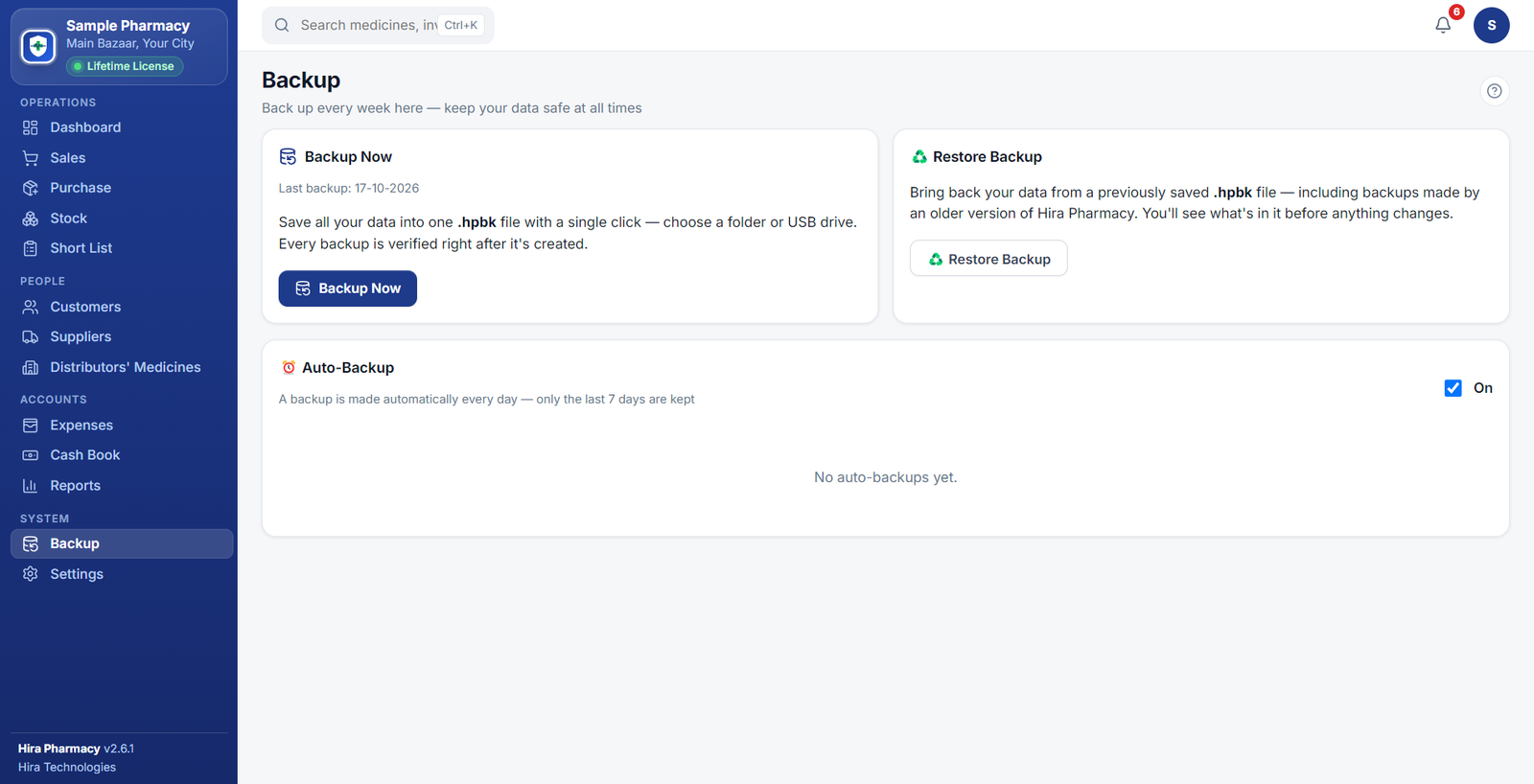
Your data lives on your own PC. A backup is made automatically every day (the last 7 are kept), you can back up to a USB drive in one click, and restoring always makes a safety copy of your current data first.
A Windows 10 or Windows 11 PC (64-bit). The download is about 86 MB. For anything else, such as using it on more than one computer, just ask us on WhatsApp.
Download it now, set it up in minutes, and message us on WhatsApp whenever you need a hand.